Setting Up a Workspace
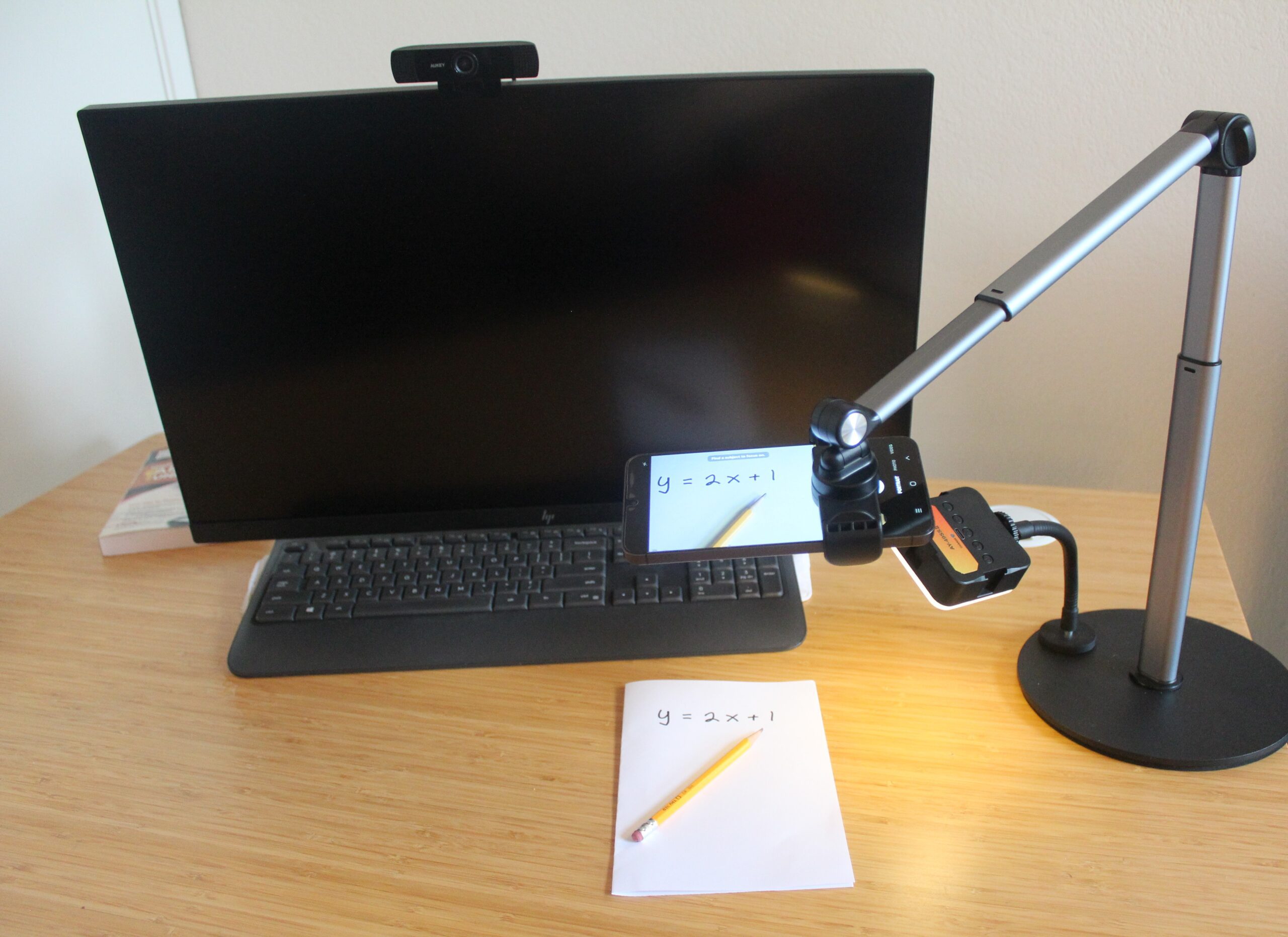
Setting up your workspace:
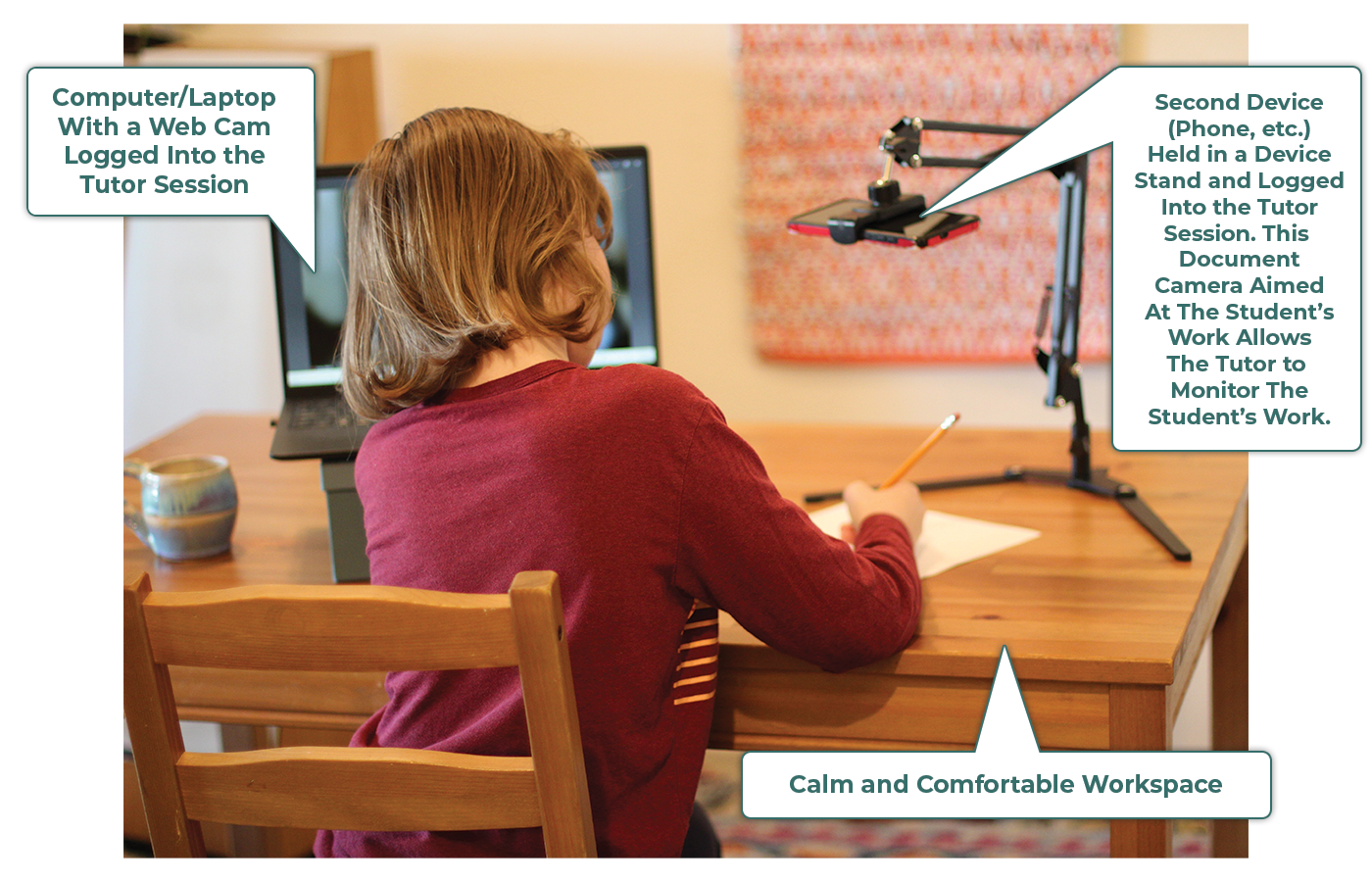
- Select a calm and comfortable workspace with room to work
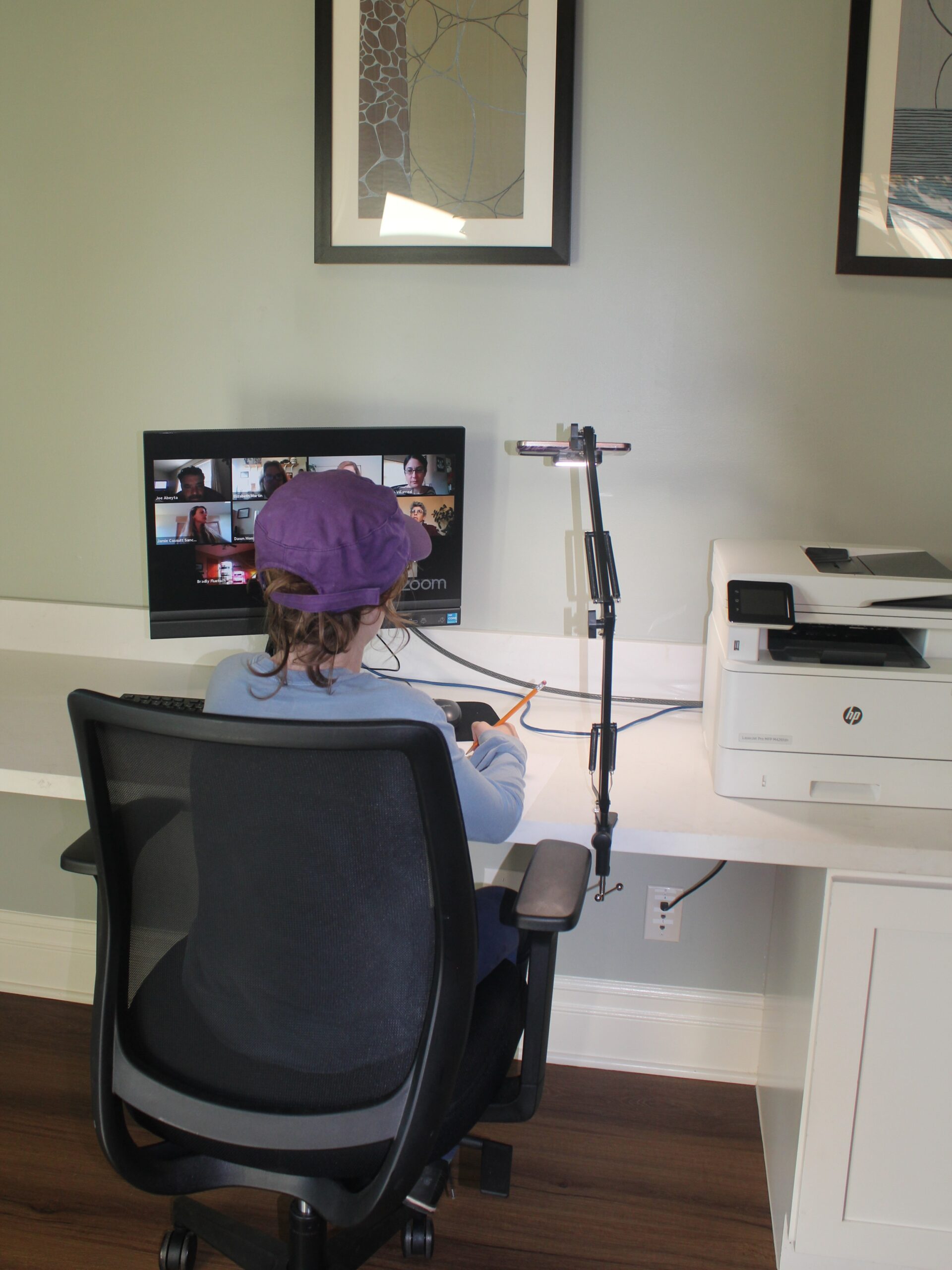
- Use a device with webcam directed at the student’s face
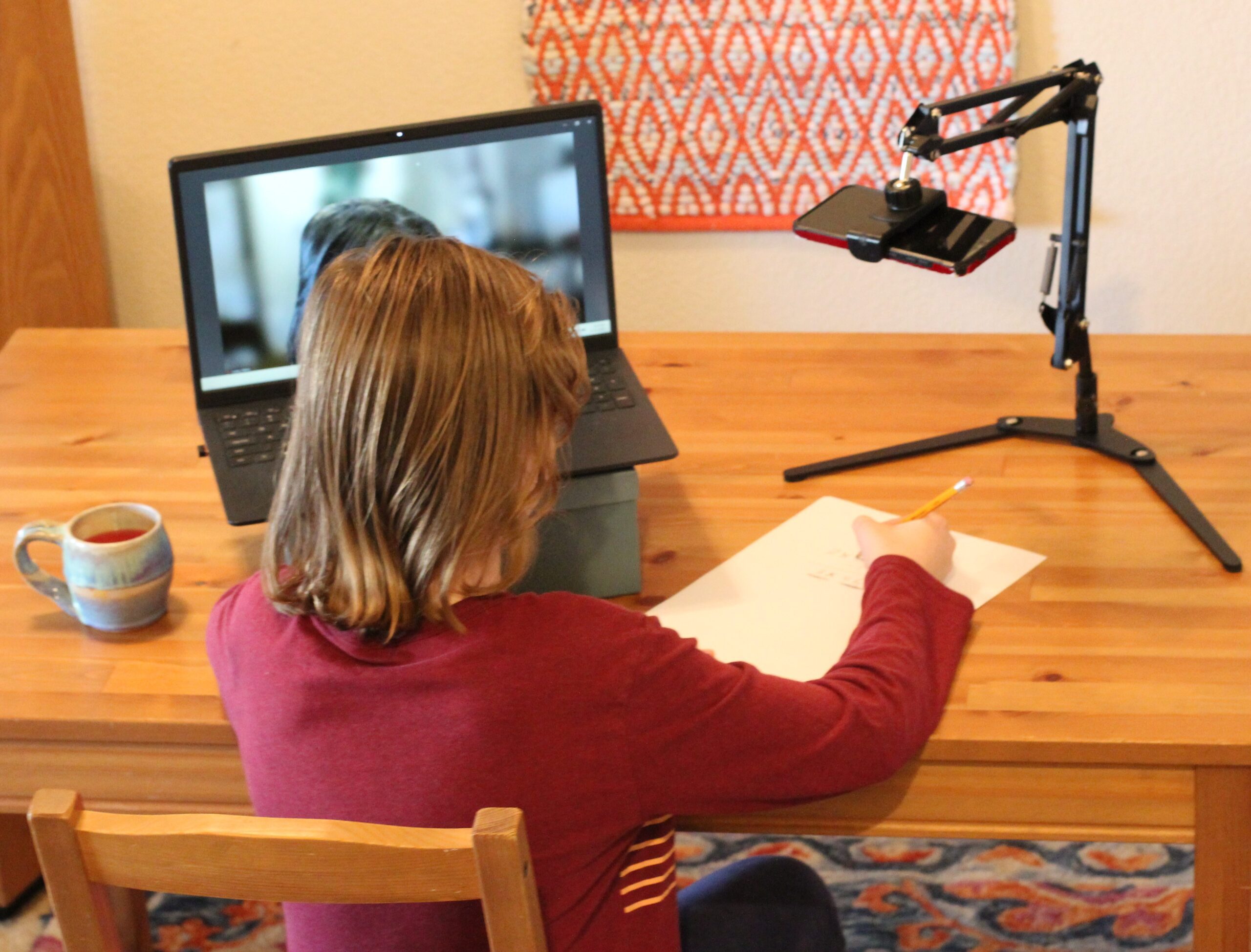
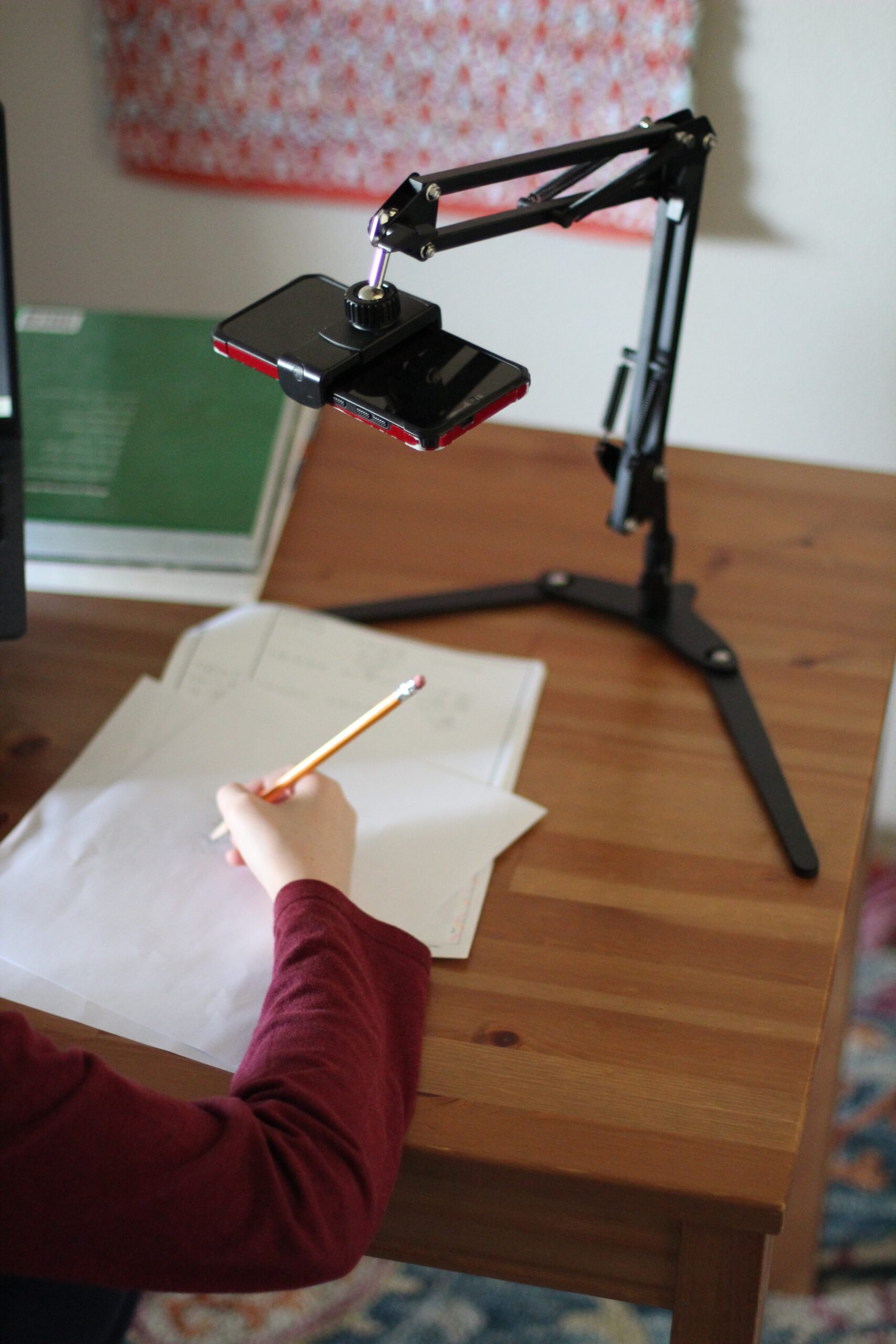
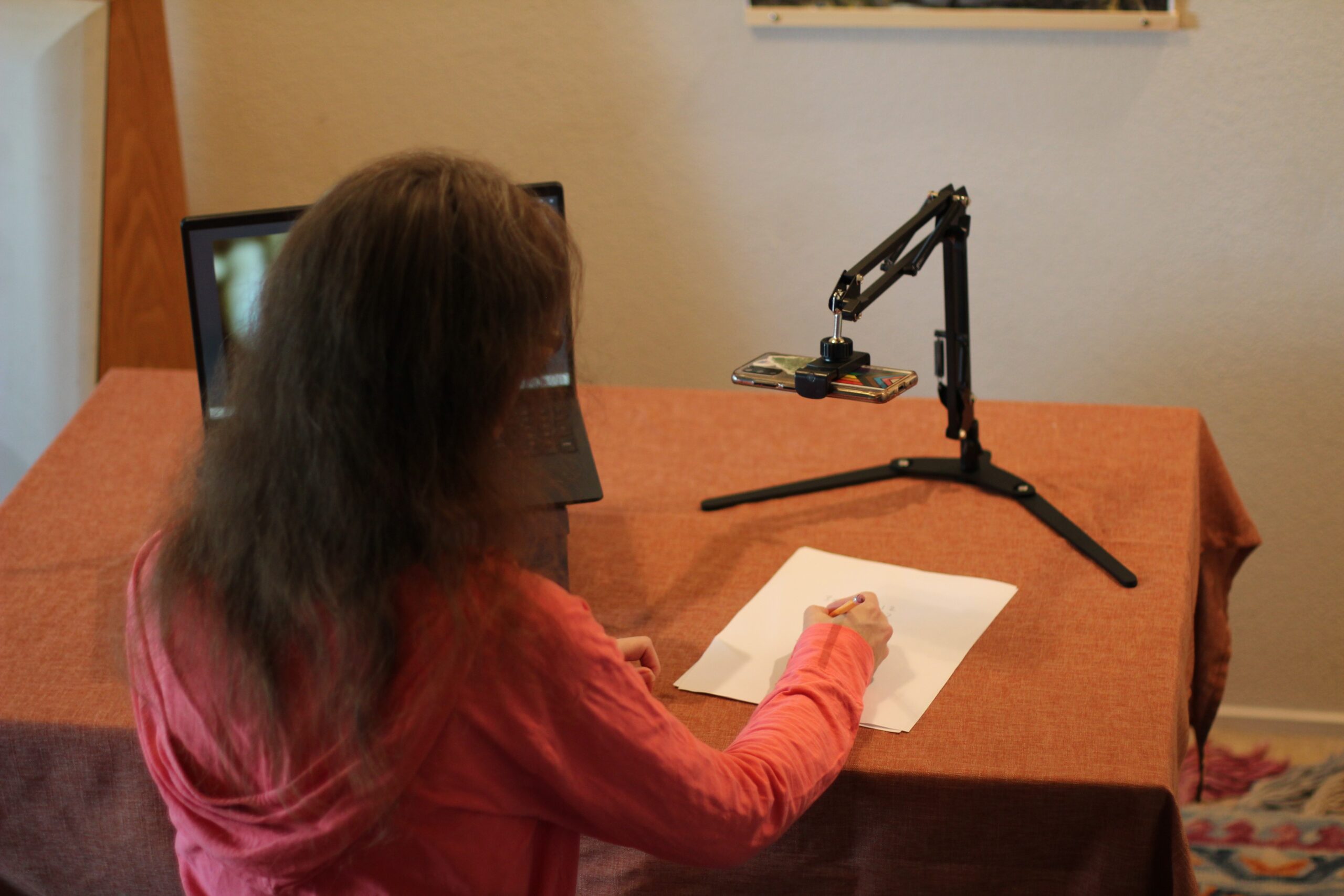
- Use a second device with a camera directed at the student’s workspace
- Have pencils and lots of paper handy
Equipment Guide
Choosing a Primary Device:
The primary device will be the main interface between the student and tutor. Its camera will be aimed at the student’s face and will allow the student to see examples provided by the tutor. Whichever option you choose, be sure the screen is big enough for the student to see clearly.
Desktop Computer
- If using a desktop computer, make sure it has a built-in camera or an external webcam.
- Make sure the computer or webcam has a microphone.
- Make sure the computer has built-in or external speakers, or provide your student with headphones.
Laptop Computer
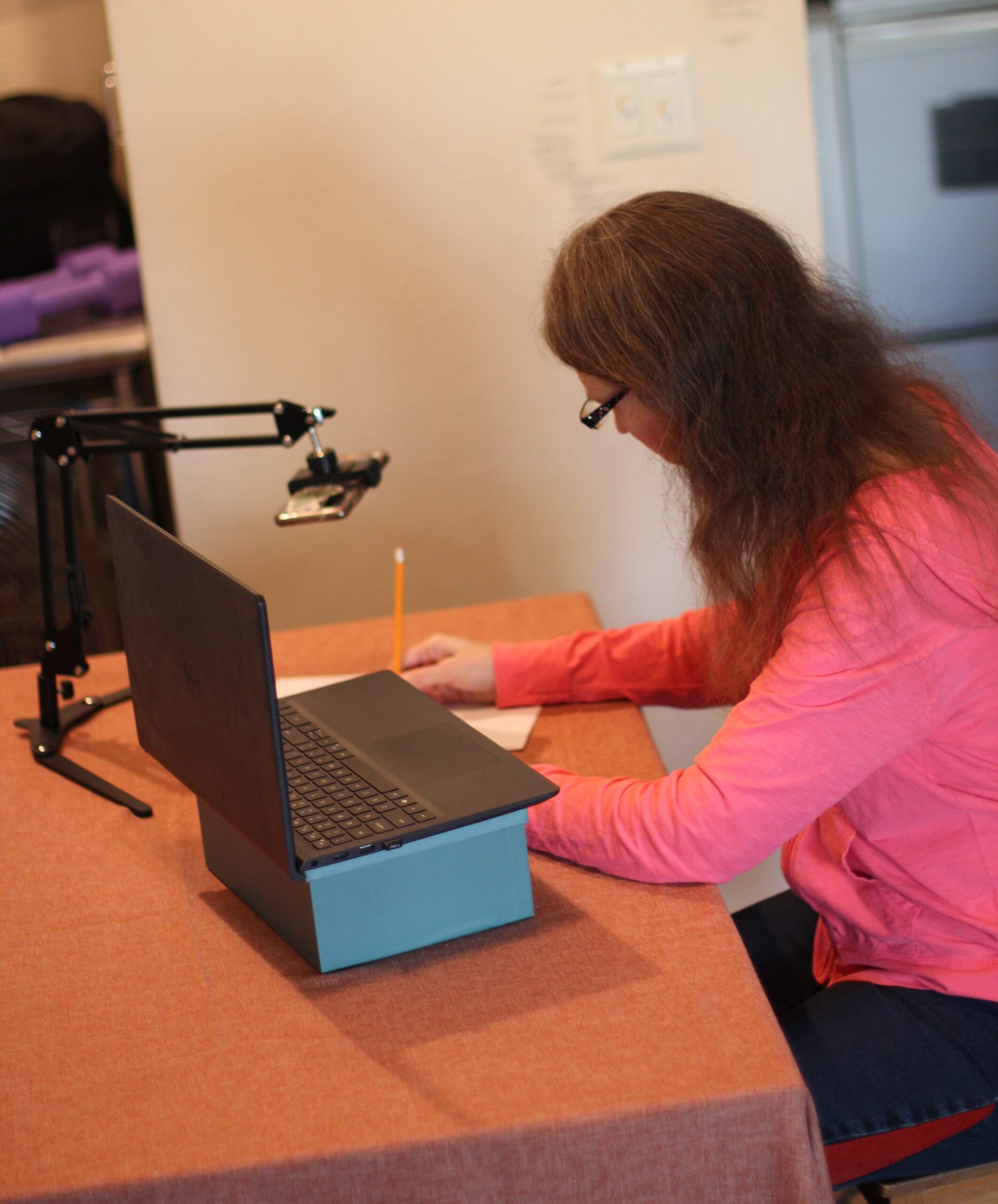
- If using a laptop computer, consider elevating it on a stand or stack of books to put it at a height ideal for the student’s view.
- Consider using external speakers or headphones for higher quality sound.
Tablet
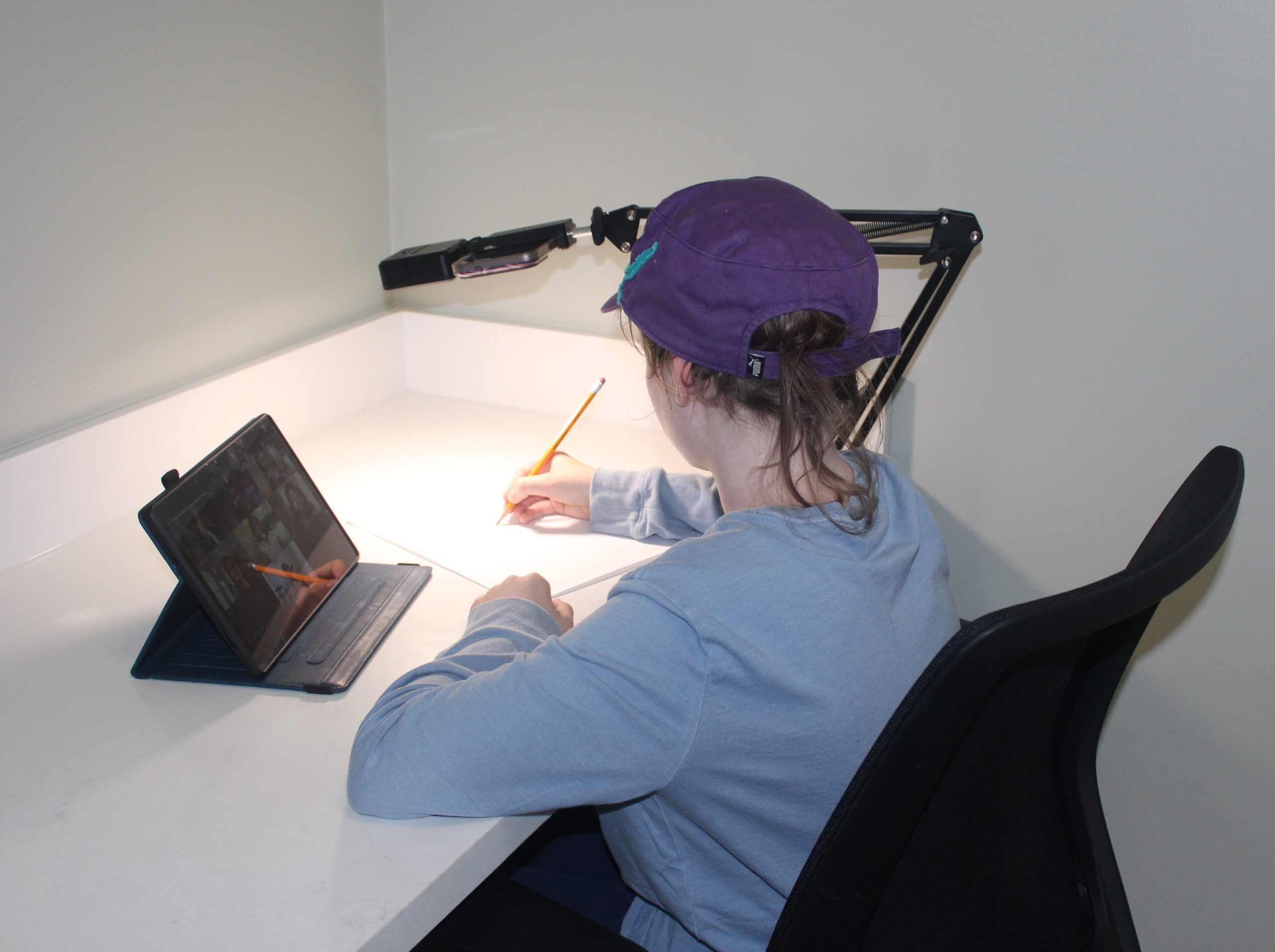
- If using a tablet, make sure it can be placed at an angle where the student can see the screen and also be seen via the webcam.
- Consider elevating it on a stand or stack of books to put it at a height ideal for the student’s view.
- Consider using external speakers or headphones for higher quality sound.
Cell Phone
- A cell phone should NOT be used as a primary device since the screen is too small for the student to see what the tutor is writing and presenting. However, a cell phone could be used as a secondary device (see below).
Choosing a Secondary Device:
Tablet
- If using a tablet for a secondary device, make sure it has a stand that allows it to be aimed at the student’s workspace (see images).
Cell Phone
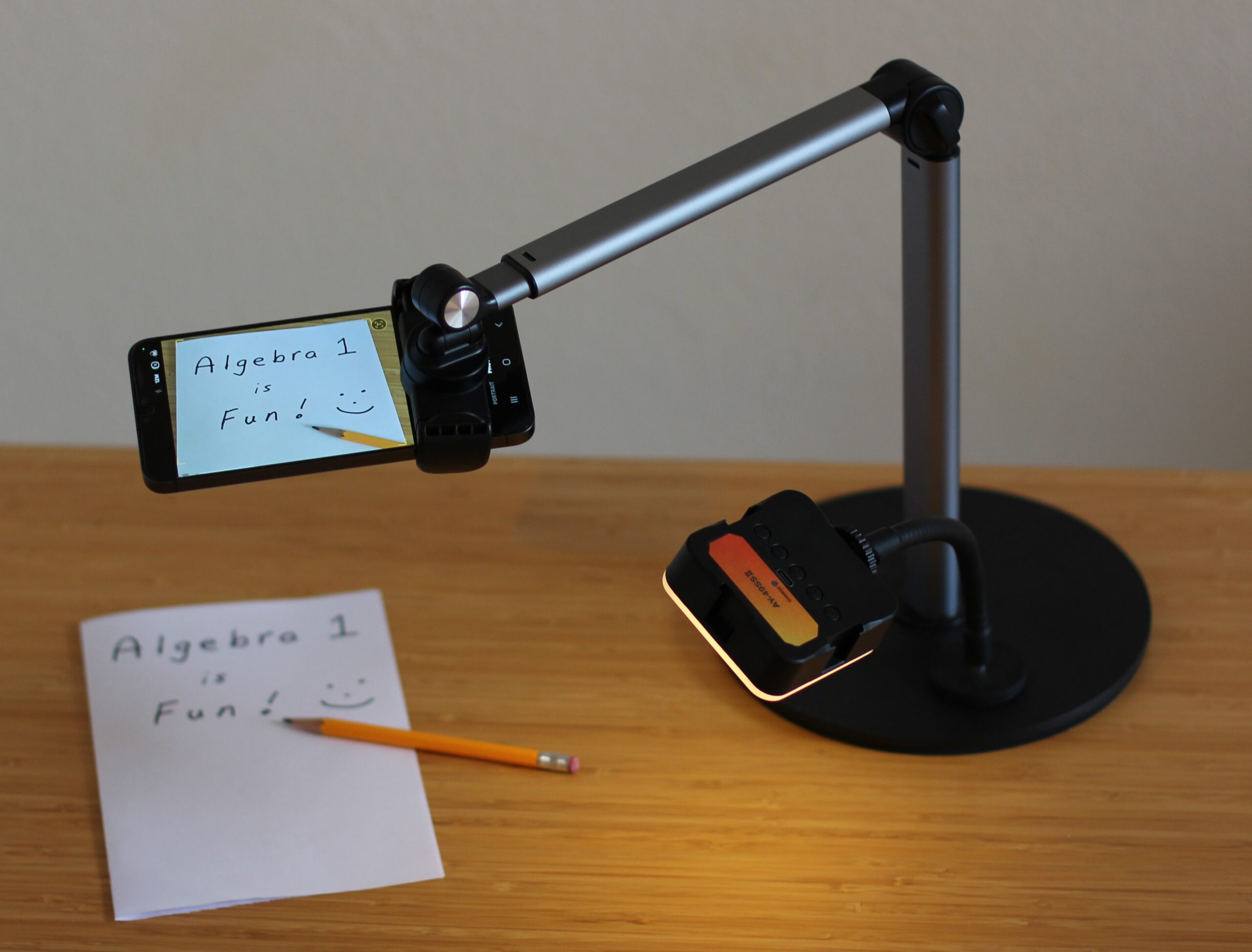
- If using a cell phone as a secondary device, make sure it has a stand that allows it to be aimed at the student’s workspace (see images).
Choosing a Device Stand:
Desktop
- When choosing a desktop stand for your primary or secondary device, consider the amount of space available on your desk or table. Desktop stands can take up valuable workspace. Make sure your student will still have at least twelve square inches of space for writing, and more if they will need a textbook or binder on their workspace.
- If the stand is for a secondary device, pick one that has an arm parallel to the workspace (see image). This allows the secondary device to have a better view of the student’s workspace.
- Some stands have attached lighting. These can be helpful if the student’s workspace has low lighting, but it is not generally necessary.
Clamp Stand
- When choosing a clamp stand for your primary or secondary device, first determine if your desk or table can accommodate the clamp. Many dining tables have an edging that will not allow a clamp to go over it. Be sure to check the specifications for the clamp and compare them to your desk or table.
- If the stand is for a secondary device, pick one that has an arm parallel to the workspace (see image). This allows the secondary device to have a better view of the student’s workspace.
-
Some stands have attached lighting. These can be helpful if the student’s workspace has low lighting, but it is not generally necessary.
Preparing for a Session
Here are our top tips for session prep:
- Read and review
- Multiplication tables
- Notes from class
- Previous tests and quizzes
- Book section/chapter
- Key terms
- Relevant formulas
- Example problems from the textbook
- Video explaining key terms
- Practice explaining your process
- For problems you got correct, tell someone how you did the problem
- For difficult problems, talk through what you know or explain your thought process out loud to yourself or someone else
- Complete practice problems
- Find problems from your textbook, worksheets, handouts, or past homework and work through them, even if you’ve already done them before
- Prepare problems to bring to your session
- Written list of 2-5 problems that you tried and got wrong or could not figure out how to start or finish
- Written list of specific areas that are confusing (be specific)
- Written list of questions you would like to ask (be specific)
- After your session, review what you learned so you’re ready for next time
- Review key terms, formulas, or steps covered during the session
- Rewrite a problem solved during the session, then try to solve it again without looking at your notes
- If you were able to re-solve a problem, try doing another problem of the same type, using your notes if needed
- Tell someone how you completed a problem, walking them through each step